

RichText in Roblox is a markup syntax that adds bold, italic, color, and font styling to TextLabel, TextButton, and TextBox objects. You enable it by checking the RichText box in Studio's Properties panel or setting object.RichText = true in a script, then writing your string with tags like <b> and <font color="#FF0000">. The two things that break it almost every time: unclosed tags nested out of order, and unescaped special characters coming from dynamic or player-generated text.
TL;DR:
- RichText in Roblox is supported only on TextLabel, TextButton, and TextBox objects, and must be enabled via the Properties panel or script before styling text.
- Proper nesting and escaping of special characters like < and > are essential; unclosed tags or incorrect nesting cause rendering issues or blank labels.
- Building dynamic RichText strings is best done with helper functions or long-bracket strings to prevent escaping errors and ensure consistent tag closing.
- RichText does not support effects like shadows or gradients, and localization automatically strips tags, requiring token-based templates for translated strings.
- For large projects, centralizing RichText creation, using automated build tools, and avoiding manual copy-pasting significantly reduces bugs and maintenance overhead.
Table of Contents
- What Is Roblox Rich Text and Which Objects Support It?
- Enable RichText (Studio and Scripting)
- Supported Tags and Attributes With Copy-Paste Examples
- Escaping Characters and Nesting Rules
- Using RichText in Scripts: Patterns and Anti-Patterns
- TextBox and TextLabel-Specific Behaviors
- Localization and Automated Workflows
- Helper Tools and When to Use Them
- Performance Considerations for RichText Rendering
- Accessibility and Screen Reader Behavior With RichText
- Known Limitations and Quirks in RichText Rendering
- Advanced RichText Use Cases
- Where Most Teams Actually Get Burned by RichText
- Automate Reliable RichText Generation With Web2Luau
- Sources
- FAQ
What Is Roblox Rich Text and Which Objects Support It?
Rich text in Roblox is an XML-style tagging system layered on top of standard text rendering. Roblox's official RichText documentation confirms it works on three UI classes: TextLabel, TextButton, and TextBox. That's the full list. ImageLabel, Frame, and other non-text UI elements don't have a RichText property at all, so if you're trying to style captions or overlays, they need to route through one of those three text objects.
The property itself is a simple boolean. When it's false (the default), Roblox treats angle brackets and ampersands as literal characters and prints your tags as visible text. Flip it to true, and the rendering engine starts parsing markup instead of displaying it. This is the most common "why isn't my formatting working" bug: developers write perfectly valid tags and then wonder why <b>Hello</b> shows up on screen exactly like that, brackets and all. The tags were never the problem. The property was off.
Enable RichText (Studio and Scripting)
You can turn RichText on two ways, and both matter depending on whether you're hand-building UI or generating it dynamically.
In Studio, select the TextLabel, TextButton, or TextBox in the Explorer, open the Properties panel, and check the box next to RichText. That's it for static UI you're styling by hand.
For anything generated or updated at runtime, set it from a script:
local label = script.Parent:WaitForChild("StatusLabel")
label.RichText = true
label.Text = "<b>Health:</b> <font color=\"#00FF00\">100</font>"
A few practical habits worth building in from day one:
- Set
RichText = truebefore assigning.Text, not after — order rarely breaks things, but it keeps your logic predictable. - Use
.ContentText(available once RichText is enabled) to read back the rendered string without tags, per the Roblox API reference. It's the fastest way to confirm what the player actually sees. - Remember that
TextBoxshows raw markup while a player is typing or has it focused. Design your editing flow around that instead of fighting it.
Supported Tags and Attributes With Copy-Paste Examples
Roblox supports a defined, fairly small tag set, not the full HTML/CSS spec. According to the Creator Hub documentation, the core tags are:
<b>and<i>for bold and italic<u>for underline,<s>for strike-through<font>withcolor,size,face, andweightattributes<stroke>withcolor,thickness, andtransparencyattributes- Standard
Here's a combined example that stacks bold, color, and stroke, exactly as you'd paste it into a Text property with RichText enabled:
<font color="#FFD700" size="24"><b>Level Up!</b></font><stroke color="#000000" thickness="2"></stroke>
| Tag | Attributes | Example |
|---|---|---|
<b> | none | <b>Bold text</b> |
<font> | color, size, face, weight | <font color="#00CCFF">Blue text</font> |
<stroke> | color, thickness, transparency | <stroke color="#000000" thickness="1">Outlined</stroke> |
<u> | none | <u>Underlined</u> |
One catch developers hit constantly: Roblox's RichText has no native drop shadows or gradients. If you're pulling markup from a web-based CSS generator, those visual flourishes just get silently dropped or ignored on render.
Escaping Characters and Nesting Rules
Special characters have to be escaped or your markup either breaks or renders wrong. The Roblox creator docs list the required substitutions:
<becomes<>becomes>"becomes"'becomes'&becomes&
This matters most with dynamic input. If a player names their character "Tank <3" and you drop that straight into a RichText string, the <3 gets parsed as the start of a broken tag, and the label either renders empty or throws off everything after it.
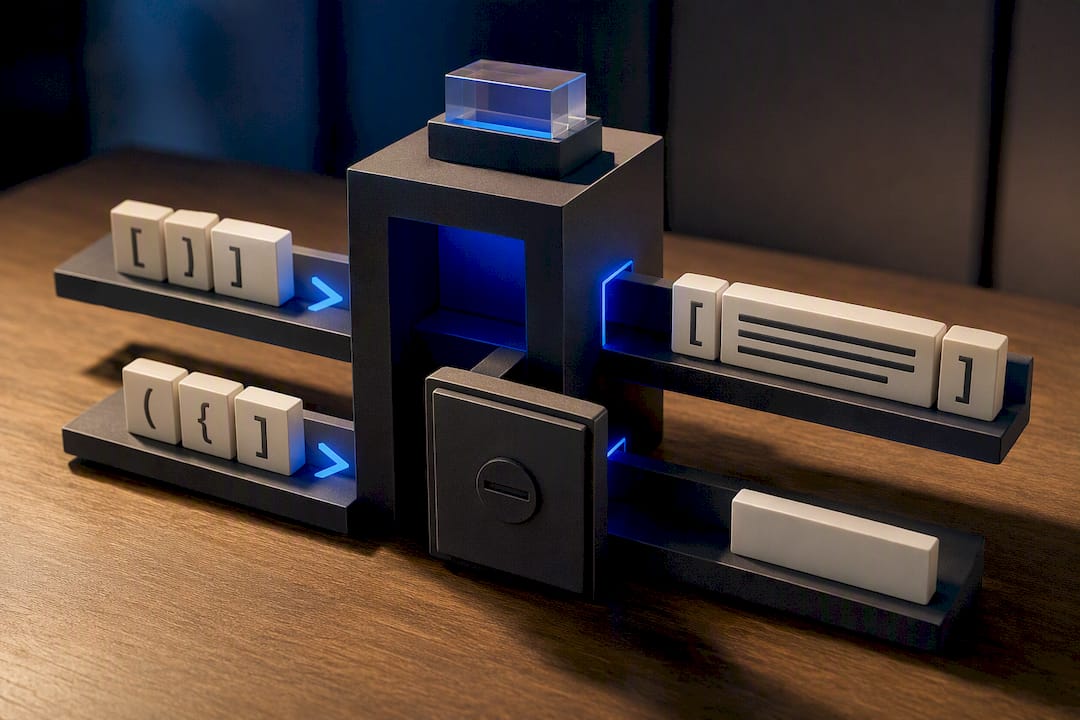
Nesting has its own rule, and it's easy to get backwards: tags must close in the reverse order they opened. <b><font color="#FF0000">Text</font></b> is correct. <b><font color="#FF0000">Text</b></font> is not, and Roblox's parser will either mangle the output or fail silently depending on where the mismatch happens.
Pro Tip: If a label suddenly renders blank or shows only partial text, check .ContentText first. If it comes back empty, the parser choked on a nesting or escape error somewhere upstream, and Studio's live preview will usually confirm exactly which line broke.
Using RichText in Scripts: Patterns and Anti-Patterns
Building RichText strings in Luau introduces a quoting problem you don't hit with static Studio properties: your string already needs double quotes for attributes like color="#FF0000", and Lua strings wrapped in double quotes will choke on that unless you escape every one.
Three patterns that actually hold up in production:
- Use long-bracket strings (
[[ ]]) for anything with embedded quotes.[[<font color="#FF0000">Alert</font>]]needs zero escaping inside the brackets, which eliminates an entire class of bugs. - Build a small helper function or builder class instead of concatenating tags by hand. A function like
richColor(text, hex)that returns`<font color="#%s">%s</font>`formatted withstring.formatkeeps every color tag consistent and gives you one place to fix bugs instead of forty. - Call
tostring()on any dynamic value before interpolating it. Numbers,nil, and Roblox data types don't always concatenate cleanly, and a silentnilconcatenation error is a rough way to lose twenty minutes.
Community-built modules exist for this too. Projects like miguelkjesus/RichText on GitHub offer builder APIs that handle escaping and tag closing for you, which is worth adopting once your project has more than a couple of screens using dynamic styled text. DevForum discussions on scripting RichText cover similar ground from the community side.
Pro Tip: Write a tiny unit test that feeds your builder function known edge cases, an empty string, a string with a literal ampersand, a deeply nested call, and check the output against .ContentText before you ship it.
TextBox and TextLabel-Specific Behaviors
TextBox and TextLabel diverge in one important way: TextBox shows raw markup to the player while they're actively editing it. If a player clicks into a chat input or a bio field with RichText enabled, they'll see the literal <b> tags, not bold text, until focus is lost and rendering catches up.
That behavior shapes how you should design editable fields:
- Don't rely on
TextBoxto double as a live styled preview while a user types. It won't behave that way. - Pair the editable
TextBoxwith a separate, read-onlyTextLabelthat mirrors the input and renders it styled, updating on.Changedor.FocusLost. - Use
.ContentTextto grab the rendered, tag-free version of any string, which is the cleanest way to sanitize or compare text without manually stripping markup yourself. - Consider toggling
RichTextoff entirely while the box is focused, then back on when editing ends, if a raw-tag view would confuse your players.
Localization and Automated Workflows
Roblox's localization system strips RichText tags from translated strings. That's documented behavior, not a bug: when a string goes through the localization pipeline, formatting tags don't survive translation, because translators are working with plain text, not markup.
The practical fix is a token-based template system. Instead of hardcoding <b>Welcome, %s!</b>, maintain a plain-text version for translators (Welcome, {playerName}!) alongside a markup template that knows where the tags belong. After translation comes back, a build step re-injects the tags around the translated tokens rather than around the original English structure.
- Store the "styled" version as a template with placeholder tokens, separate from the raw localization strings.
- Automate the re-injection step in your build or CI pipeline so no one has to manually patch tags back into forty translated strings by hand.
- Test re-injected strings in each supported language, since word order and string length can shift where a tag needs to land.
Pro Tip: Never let translators touch a string with tags already embedded. Give them clean placeholders, and let your pipeline own the markup entirely.
Helper Tools and When to Use Them
A handful of community resources exist specifically to reduce RichText syntax errors. Richify-style modules and other RichText builder libraries wrap the tag logic in function calls, so you write bold(text) instead of hand-typing <b> pairs. Web-based generator pages, like the one at Thefancyfonts, let you preview styled text and copy out the resulting markup.
The catch: many of these generators come from a general HTML/CSS background and will happily output shadow, gradient, or letter-spacing effects that Roblox's RichText spec simply doesn't render. Copy-pasting generator output straight into a TextLabel without checking it in Studio first is a reliable way to ship a broken label to production.
Simple helper functions are enough for a solo project with a handful of styled strings. The calculus changes once you're maintaining dozens of screens across a team, especially with localization and CI in the mix. At that scale, a full transpilation toolchain that generates your UI structure and markup from a single source, rather than hand-writing tags across dozens of scripts, cuts down the number of places a nesting or escape bug can hide.
Performance Considerations for RichText Rendering
RichText parsing adds a small processing cost compared to plain text, since Roblox has to tokenize tags and build a styled run before it hands the string to the text renderer. On a handful of labels, that cost is not something you'll notice. The problem shows up at scale. Leaderboards, chat logs, or inventory grids that render dozens or hundreds of RichText-enabled labels every frame, or reconstruct long styled strings every time a value updates.
The heaviest cost usually isn't the tag parsing itself. It's rebuilding and reassigning long concatenated strings on every update, especially inside a loop that fires on Heartbeat or a fast RenderStepped connection. Reassigning .Text triggers a re-layout and re-render of that UI element, and doing it dozens of times a second across many labels adds up on lower-end devices, particularly older phones and tablets running the mobile Roblox client.
A few habits keep RichText cheap:
- Only reassign
.Textwhen the underlying value actually changes, not on every frame tick. - Cache static portions of a string (like a label prefix) and only rebuild the dynamic segment.
- Avoid RichText on UI elements that update at high frequency, like a live damage counter, unless the visual payoff is worth the reassignment cost. A plain
TextLabelwith a color property change is often cheaper than toggling font tags every tick. - Batch UI updates where possible instead of updating twenty labels independently in the same frame.
None of this makes RichText expensive in absolute terms. It makes careless update patterns expensive, and RichText just happens to be where that cost becomes visible first.
Accessibility and Screen Reader Behavior With RichText
Roblox's UI system doesn't currently expose a standardized screen reader API the way native mobile or desktop platforms do, and RichText tags don't carry semantic meaning the way HTML's <strong> or <em> do for assistive technology on the web. A <b> tag makes text visually bold in Roblox, but it does not announce "bold" or convey emphasis to any assistive layer, because there isn't a first-class assistive layer parsing that structure yet.
Practically, that means RichText should be treated as a visual styling tool, not an accessibility signal. Don't rely on color or bold alone to convey critical information (a red <font> tag meaning "danger," for instance) without also stating it in plain text, since players with color vision differences or anyone relying on platform-level magnification will see the styling but may miss the intended meaning if it's color-only.
A few defensive habits help regardless of what assistive tooling Roblox eventually ships:
- Pair color-coded information with a text label or icon, not color alone.
- Keep font sizes legible at default UI scale; don't rely on
<font size="10">for anything a player needs to read to play the game. - Avoid burying essential instructions inside heavily styled RichText blocks that a text-to-speech tool would read as a jumbled run of words if tags aren't stripped cleanly first.
- Test with
.ContentTextto confirm the underlying string still reads sensibly as plain text, since that's the closest approximation of what any future accessibility tool would work from.
Accessibility support for Roblox UI as a whole is still developing, so building habits that degrade gracefully to plain text is the more durable approach.
Known Limitations and Quirks in RichText Rendering
RichText's most consistent quirk is inconsistent failure behavior on malformed markup. Sometimes a broken tag causes the entire string to render blank. Other times it renders everything up to the error and silently drops the rest. There's no error message, no console warning, just a visibly wrong label and a bug report from your QA team.
A few specific limitations worth knowing before you build around RichText:
- No support for CSS-style effects like text shadows, gradients, or letter spacing, regardless of what a generator tool promises.
TextBoxreveals raw tags during editing, which surprises a lot of developers the first time they wire up a styled input field.- Localization strips tags automatically, covered in more detail above, and this catches teams off guard when a shipped translation suddenly loses all its formatting.
- Tag support doesn't extend to every UI object.
ImageLabel,Frame,ScrollingFrame, and similar non-text elements have no RichText property at all. - Nesting errors, as noted earlier, fail silently rather than throwing a script error, which means bad markup can sit in production for a while before anyone notices.
None of these are dealbreakers. They're reasons to treat RichText output as something you verify visually in Studio, every time, rather than trust blindly the way you'd trust a plain string assignment.
Advanced RichText Use Cases
Once the basics are solid, RichText opens up a few genuinely useful patterns beyond simple bold or colored text.
Multi-colored inline text works well for status displays: a single label showing <font color="#00FF00">Online</font> · <font color="#888888">3 friends away</font> in one string instead of three separate labels stitched together with UI layout logic.
Mixed fonts within one label are possible via the face attribute on <font>, letting you combine a bold display font for a heading fragment with a lighter body font for supporting text, all inside a single TextLabel rather than stacking multiple objects.
Rich formatting for combat or economy feedback is one of the more common production uses: a damage number that shows <font color="#FF3333" size="28"><b>-42</b></font> for a critical hit versus a smaller, undecorated number for a normal hit, all generated from the same code path with a conditional wrapping the tags.
Rank or currency displays frequently combine <stroke> for readability against variable backgrounds with <font color> for value emphasis, which is why stroke shows up constantly in leaderboard and shop UI.
What RichText can't do natively is embed actual images or icons inline with text. Roblox doesn't support an <img>-equivalent tag, so "icon plus text" layouts still require a separate ImageLabel positioned next to or inside a Frame alongside the text object, not a single styled string.
Where Most Teams Actually Get Burned by RichText
The failures I see repeated across larger projects are rarely exotic. They're unescaped player input hitting a live label, localization quietly stripping tags nobody remembered to re-inject, and three different scripters on the same team building RichText strings three different ways, each with its own bugs.
The fix isn't more documentation. It's centralizing generation: one helper layer, one place to fix an escaping bug once instead of five times, and automated checks that catch broken nesting before it ships. Teams that treat RichText as shared infrastructure rather than copy-paste boilerplate spend a lot less time debugging blank labels.
— Selix
Automate Reliable RichText Generation With Web2Luau
Hand-maintaining RichText strings across dozens of screens is exactly the kind of repetitive, error-prone work that doesn't scale with a growing team. A toolchain exists to transpile HTML, Tailwind, and React layouts directly into Roblox ScreenGuis, so styled text and markup can be generated consistently from a single source instead of copy-pasted script by script.
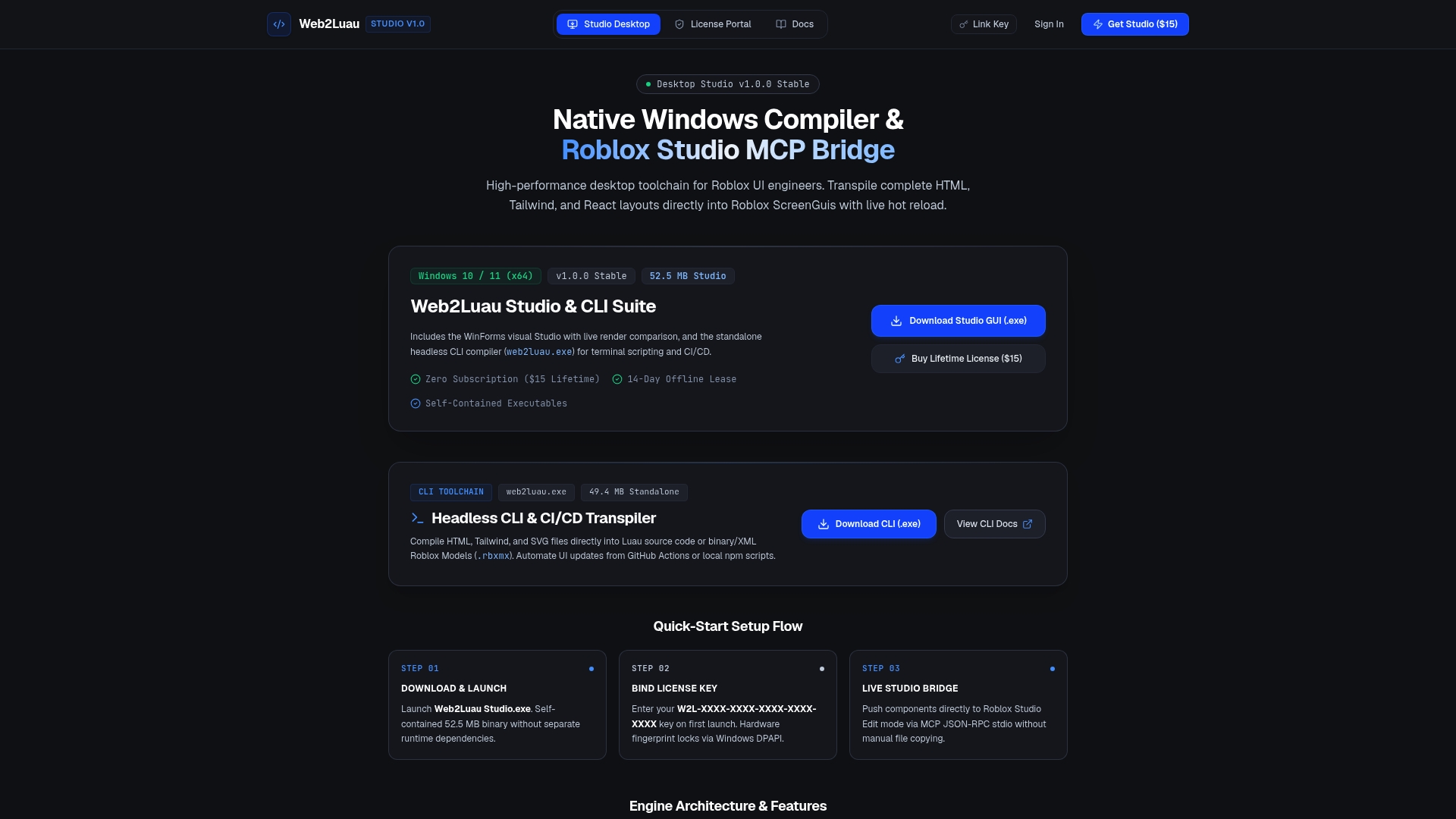
Some tools offer live hot reload features that connect into Roblox Studio through the Model Context Protocol, so changes to source layouts can appear instantly without manual file copying. They may run as self-contained offline executables with secure licensing and CLI support for CI/CD pipelines, assisting teams wanting RichText and UI generation checked automatically before shipping rather than fixing issues later. If your project has reached the point where five people are hand-writing markup five different ways, check out the Web2Luau license portal and see whether transpiling your UI source solves the inconsistency at the root instead of patching it string by string.
Sources
- Rich text markup | Documentation - Roblox Creator Hub
- creator-docs: rich-text.md (Roblox GitHub)
- TextLabel | Roblox API Reference
- Rich Text Generator: HTML, CSS & Roblox Styled Text
FAQ
What Font Does Roblox Use by Default?
Roblox doesn't force a single default font for RichText. The rendered font comes from the object's Font or FontFace property, and you can override it per-span using the face attribute inside a <font> tag.
How Do I Create a New Line in Roblox RichText?
Use a standard newline character ( ) inside your string. RichText doesn't require or support a special line-break tag, per the Roblox documentation.
Is There an "OG" Roblox Font?
There's no officially documented legacy "OG" font tied to RichText specifically. Font rendering depends entirely on the Font/FontFace property you set on the TextLabel, TextButton, or TextBox.
How Do I Escape Special Characters in Roblox Rich Text?
Replace <, >, ", ', and & with <, >, ", ', and & respectively before inserting dynamic text into a RichText string, as specified in the Roblox creator docs.
Can Web2Luau Help Generate RichText Automatically?
Yes. Web2Luau transpiles HTML and Tailwind layouts into Roblox ScreenGuis, centralizing markup generation so teams avoid inconsistent, handwritten RichText across multiple scripts.