

The fastest practical route to turn a web layout into a working Roblox interface is to transpile HTML and CSS into Luau or RBXMX using a toolchain that plugs into Studio, then hand-fix layout constraints where the automated output falls short. Save manual, line-by-line conversion for small, performance-critical screens where you need total control. A dedicated toolchain folds the transpile step and Studio sync into one workflow instead of two.
TL;DR:
- Transpiling HTML and CSS into Roblox GUIs is fastest with a toolchain that automates conversion and syncs directly into Studio, especially for teams deploying frequent UI updates.
- Complex CSS features like pseudo-classes, cascading specificity, and advanced layout methods often require manual tuning after transpilation, particularly for performance-critical or highly responsive interfaces.
- Flattening deeply nested DOM structures into fewer GUI objects improves performance, reduces hierarchy rebuild times, and mitigates sluggishness in complex interfaces.
- Converters struggle with consistent font sizing, image effects, and CSS effects such as shadows and gradients, so manual adjustments are necessary for visual fidelity.
- Using a dedicated conversion tool like Web2Luau streamlines the entire process, supports live hot reloads, and integrates into CI/CD pipelines, making it ideal for team workflows.
Table of Contents
- How Do You Convert HTML to Roblox GUI?
- What HTML and CSS Elements Map to Roblox GUI Objects?
- Step-by-Step: Turning a Web Layout Into a ScreenGui
- Why Do Converted Layouts Break, and How Do You Fix Them?
- Where a Dedicated Toolchain Fits In
- Automation Works Until It Doesn't
- Get Your Web UI Into Studio Without the Copy-Paste Loop
- Docs and Compilers Worth Bookmarking
- Sources
- FAQ
How Do You Convert HTML to Roblox GUI?
Four real approaches exist, and each fits a different kind of project.
- Manual conversion. You read the HTML/CSS by eye and rebuild it instance by instance in Studio. Slowest option, but you get exact control over every pixel and every property. Best for a single polished menu or HUD where fidelity matters more than speed.
- Transpilers and compilers. Tools parse your markup and CSS, then emit Luau source or RBXMX model files automatically. Community projects like the rbxtsx-web-compiler show this pattern well, mapping common elements to native instances in one pass. Fastest for bulk conversion, weakest on edge-case CSS.
- Studio plugins. These live inside the editor and help you paste or import markup directly, cutting out the file juggling between a text editor and Studio. Good middle ground for solo developers who want speed without leaving the Studio window.
- Hybrid workflows. Transpile the bulk of the layout, then hand-tune spacing, fonts, and responsive behavior afterward. This is what most production teams actually run, because pure automation rarely survives contact with a real design system untouched.
For a quick prototype, lean on a compiler and accept some rough edges. For a UI-heavy product with a design system, use the hybrid path. For small teams shipping fast, a toolchain with hot reload beats manual work every time, since round-tripping files between an editor and Studio adds friction on every single change.
What HTML and CSS Elements Map to Roblox GUI Objects?

Roblox has no native HTML or CSS renderer. Every browser-style layout has to become a GuiObject parented to a ScreenGui inside the player's PlayerGui, which is the only container the engine actually draws. That single fact is the reason transpilation exists at all: there's no shortcut around rebuilding the DOM as native instances.
Element mapping runs roughly like this:
<div>becomesFrame<img>becomesImageLabelorImageButton<button>becomesTextButton<p>and<span>becomeTextLabel<input>has no clean equivalent and usually needs aTextBoxsubstitute
CSS properties map more unevenly. Padding, background color, border radius, and basic flex alignment translate fairly cleanly into UIPadding, BackgroundColor3, UICorner, and UIListLayout. Complex selectors, many pseudo-classes, and cascading specificity rules don't have a direct Roblox equivalent, since Luau's StyleSheet system works closer to token-based rules than the full CSS cascade.
Quick reference: roughly what survives conversion cleanly
| CSS feature | Roblox equivalent | Fidelity |
|---|---|---|
| Flexbox row/column | UIListLayout | High |
| CSS Grid | UIGridLayout | Medium |
| Box shadow | UIStroke + ImageLabel tricks | Low |
| Media queries | UISizeConstraint checks | Medium |
Pseudo-classes (:hover) | Manual event connections | Low |
Spec-driven compilers like rbx-css formalize this mapping, converting selectors and properties into StyleRule and StyleSheet constructs and outputting either Luau modules or RBXMX files you drop straight into Studio.
Step-by-Step: Turning a Web Layout Into a ScreenGui
- Prep the layout. Strip out unnecessary nesting, export images at the sizes you'll actually use, and consolidate repeated CSS values (colors, spacing) into a small set of tokens. A flatter HTML tree produces a flatter, faster GUI tree.
- Run the transpiler. Point your CLI or GUI tool at the markup and let it generate Luau source or an RBXMX file. Check the output for obvious mapping errors, especially around nested flex containers and any custom fonts.
- Import into Studio. Bring the output in through Rojo, a direct RBXMX import, or an MCP-based live bridge, then place the resulting instance under
StarterGui(for permanent UI) or push it toPlayerGuiat runtime. VerifyResetOnSpawnandDisplayOrderare set the way you expect. A ScreenGui left on defaultResetOnSpawnwill vanish and rebuild every time the character respawns, which breaks persistent HUDs. - Polish the layout. Convert flex and grid rules into
UIListLayoutorUIGridLayout, addUIPaddingandUICornerwhere CSS had padding and border radius, and replace loose absolute positioning with proper size and position constraints. Trim redundant wrapper frames while you're in there. - Test across sizes and profile instance counts. Resize the Studio window or use device emulation to catch broken breakpoints, and check how many instances the converted screen actually creates. A converter that produces 400 nested frames for a simple settings menu is a performance problem waiting to happen.
Pro Tip: Import one screen at a time instead of your whole app at once. Isolating a single ScreenGui under a test PlayerGui makes it far easier to tell whether a layout bug came from the converter or from your own CSS.
Why Do Converted Layouts Break, and How Do You Fix Them?
Most conversion failures trace back to one root cause: the web assumes a flowing document, and Roblox assumes fixed UDim2 coordinates. Flexbox and Grid describe relationships between elements; UDim2 describes an absolute scale-and-offset position. Converters bridge that gap with UIListLayout, UIGridLayout, and constraint objects like UISizeConstraint, but the bridge isn't perfect, and you'll usually need to hand-tune at least a few frames after import.
- Deep nesting kills performance. Converters tend to preserve every wrapper
<div>as its ownFrame, and a hierarchy that made sense in HTML can turn into dozens of redundant layers in Roblox. Flatten aggressively; fewer children means faster layout rebuilds. - Text and RichText don't always match. Web font sizing in pixels doesn't map cleanly to Roblox's
TextSize, and RichText tags behave differently enough that you should spot-check every converted label rather than trust it blind. - Images and effects are the weakest link. Nine-slice scaling,
UIGradient, and shadow approximations can stand in for CSS gradients and box-shadow, but not every visual effect has a performant native equivalent, and some compilers will flag unsupported properties rather than fake them. - Debug incrementally. Import one section, disable heavy visual effects temporarily, and confirm
DisplayOrderandResetOnSpawnare correct before you add the next piece.
Pro Tip: If a converted screen feels sluggish, count its instances before you touch anything else. A bloated hierarchy is the most common, and most fixable, cause of GUI lag.
Where a Dedicated Toolchain Fits In
Manual fixes work fine for a one-off menu. They stop working once you're maintaining dozens of screens across a live game, and that's the gap purpose-built tools like Web2Luau are built to close. Certain toolchains transpile HTML, Tailwind, and React layouts directly into native Roblox ScreenGuis, skipping the step of hand-translating markup every time a designer changes a layout.
- Some tools offer live hot reload connected directly into Roblox Studio through the Model Context Protocol, so updates appear without manually copying files back and forth.
- Others ship as self-contained desktop executables that work offline with hardware-verified licensing built in.
- CLI automation support is available in certain toolchains to aid CI/CD pipelines where UI changes undergo the same pipeline as code.
Choose a full toolchain when you're working on a team, shipping frequent UI updates, or building the kind of automation-heavy pipeline where a manual export-import loop would eat hours every week. A solo developer polishing a single splash screen may not need it. A team pushing UI revisions daily almost certainly does, since hot reload cuts the iteration loop that manual copying otherwise stretches out.
Automation Works Until It Doesn't

Automate the layouts that repeat: settings menus, inventory grids, shop screens, anything with a predictable structure across dozens of instances. Hand-author the screens where every pixel matters for performance or feel, like a combat HUD firing dozens of updates a second. The mistake teams make is picking one approach and forcing every screen through it.
Token and StyleSheet patterns matter more than people expect here. When color and spacing values live in one place, a design change propagates instead of turning into forty manual edits. Pair that with hot reload and a CI pipeline, and the design iteration loop stays fast enough that teams actually keep it tidy instead of letting technical debt pile up.
— Selix
Get Your Web UI Into Studio Without the Copy-Paste Loop
Every method covered here, manual rebuilding, community compilers, plugin imports, solves the conversion problem in isolation. Web2Luau solves the whole loop: it transpiles HTML, Tailwind, and React straight into ScreenGuis and keeps Studio synced through live hot reload over MCP, so you stop exporting files and re-importing them every time a design shifts.
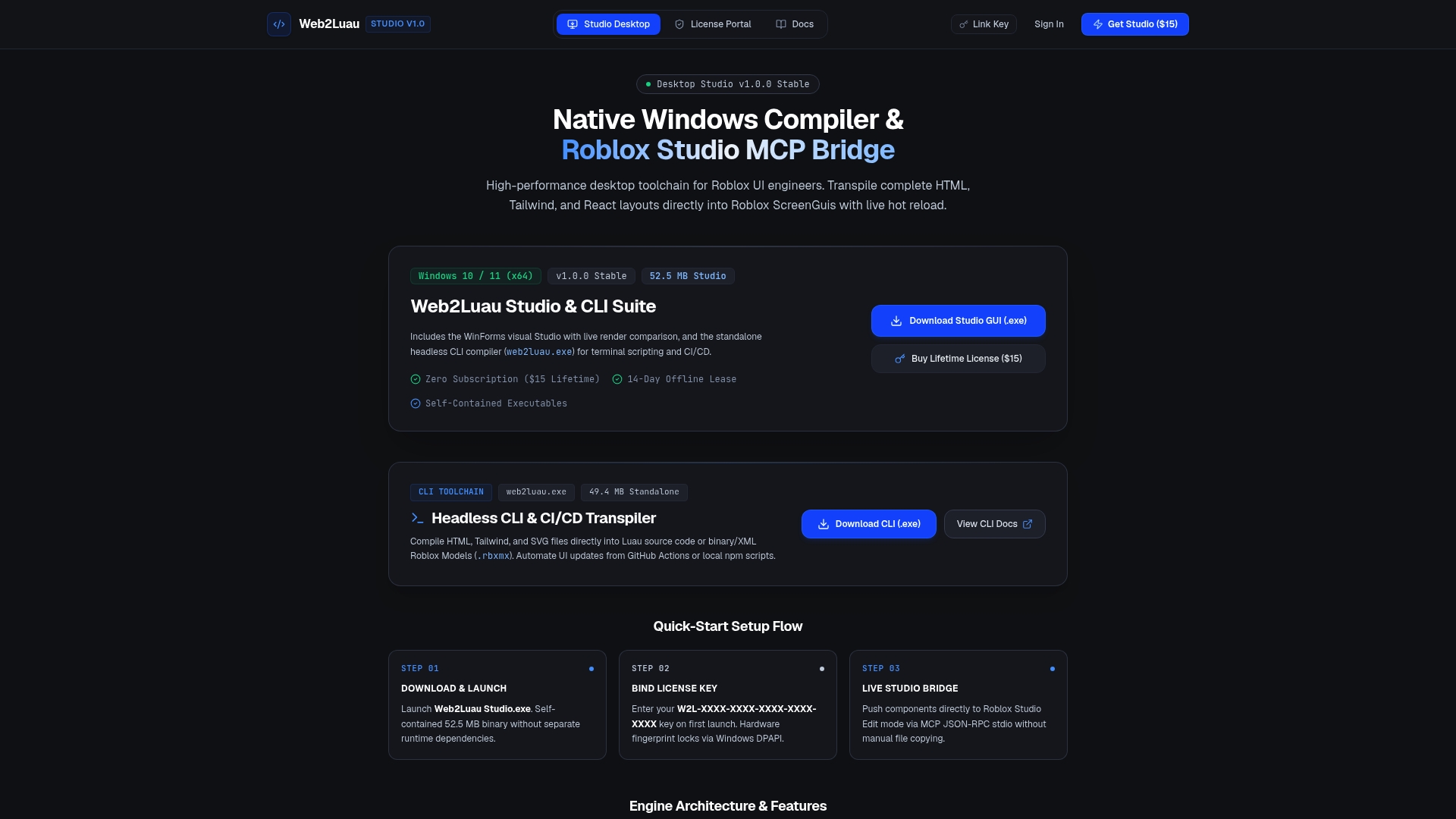
It runs as a self-contained Windows executable with hardware-verified licensing, works offline, and plugs into CI/CD through CLI automation for teams that need UI updates to move through the same pipeline as their code. The Web2Luau Studio & CLI Suite is available as a reasonably priced one-time purchase, with no subscription. Head to the Web2Luau product page to download it and see the install steps for your setup.
Docs and Compilers Worth Bookmarking
- ScreenGui documentation — the official reference for the container every converted UI ultimately lives inside.
- Luau's official docs — the language reference for the scripts your converted GUIs will run on.
- rbxtsx-web-compiler on GitHub — a real, inspectable TypeScript-based compiler with working mapping tables.
- rbx-css specification — a spec-level look at how CSS selectors and properties translate into Roblox StyleSheet constructs.
Sources
- ScreenGui · Roblox Creator Documentation
- Luau — official documentation
- harihar-nautiyal/rbxtsx-web-compiler — GitHub
- SPEC.md · rbx-css
FAQ
Can I Use HTML Directly in Roblox?
No. Roblox has no HTML or CSS renderer, so your markup has to be transpiled or manually rebuilt into native GuiObject instances inside a ScreenGui. Tools like Web2Luau and community compilers exist specifically to automate that conversion step.
Does Roblox Support Custom Fonts and Images From the Web?
Roblox supports custom fonts and images, but they need to be uploaded through Roblox's asset system rather than linked directly from a web URL. Converted layouts typically reference these assets by ID after you upload the source files.
Does Roblox Use Lua or C++?
Roblox scripts run on Luau, a language derived from Lua, not C++. The engine itself is built in C++, but anything you write for gameplay or UI logic, including converted GUI scripts, runs in Luau.
What Does ~= Mean in Roblox Scripting?
~= is the inequality operator in Luau, returning true when two values are not equal. It works on strings, numbers, and object references, and you'll see it constantly in event handlers that check state changes on a converted UI element.
How Do I Handle Click Events After Converting an HTML onclick?
HTML onclick handlers don't carry over automatically. You need to connect a MouseButton1Click event on the equivalent TextButton or ImageButton, or use UserInputService for more complex input handling, and wire that up manually or through your toolchain's event mapping.